When new editions of publications are made available in NFHS Digital they are not automatically added to your organization library or available to distribute. This will be needed every time new publications are added. There are two options for adding them, either from the landing page or from the preview & validation stage of your publication upload.
Step-By-Step Instructions via Publications Tab
Log into your NFHS Digital Admin account (https://distribution.nfhsdigital.org/login)
Once inside your Admin portal navigate to the Publications tab in the left-hand navigation menu
Select the + Add More Publications button to open a pop-up menu displaying each sport with drop-downs available for each publication. Add every publication you need to distribute for every sport
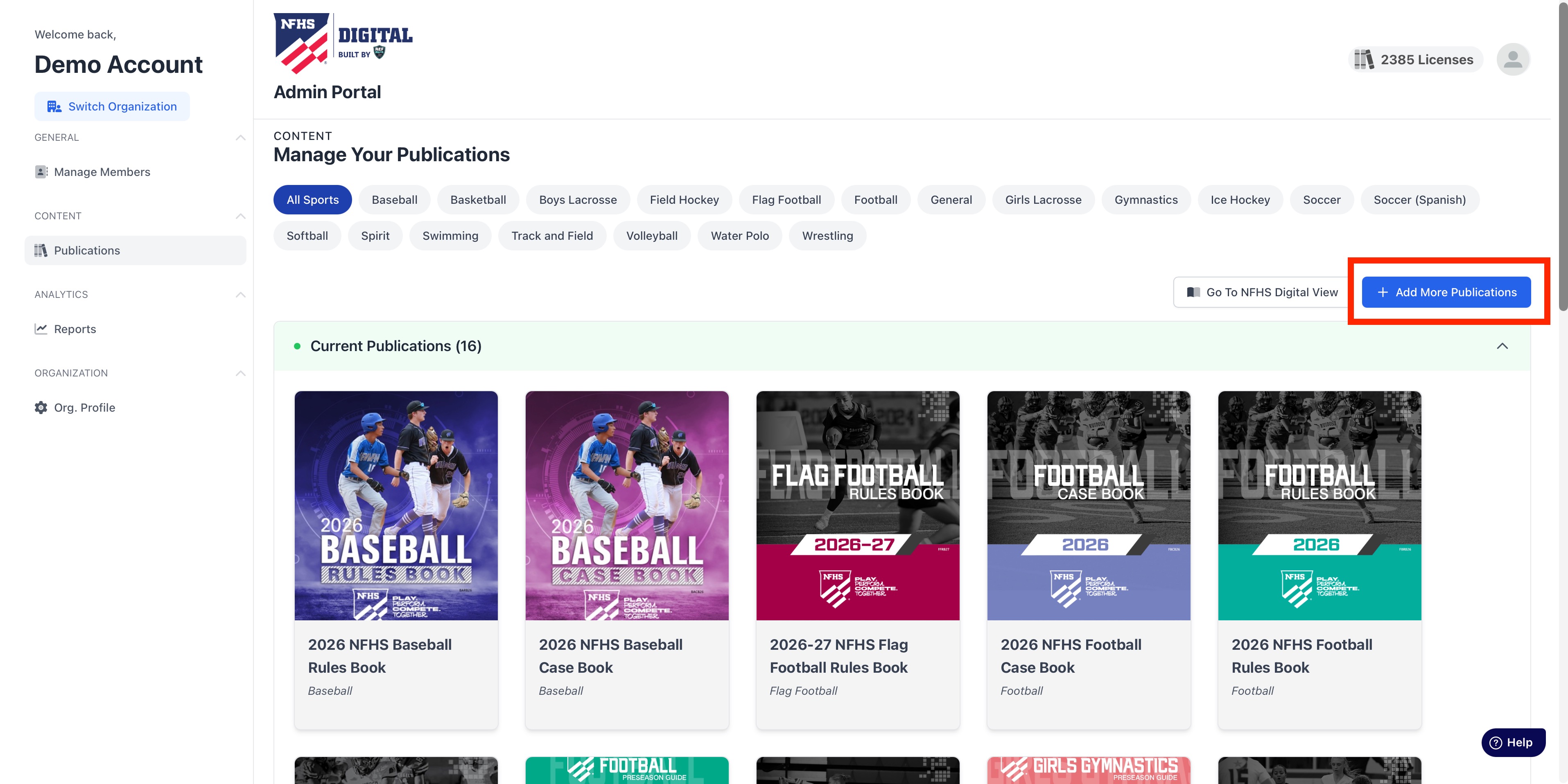
4. Confirm your selections with the Add Selected button at the bottom of the pop-up menu.
Step-By-Step Instructions via Preview & Validation
Once you've proceeded to the final stage of the publication upload process you should have uploaded a spreadsheet of your officials and their sports.
You will notice two boxes - a blue box labeled Publications to be Distributed, and an orange box labeled Publications Not Available to Organization. The only difference here is that the publications in orange were included in your upload list but not in your library.ˆ
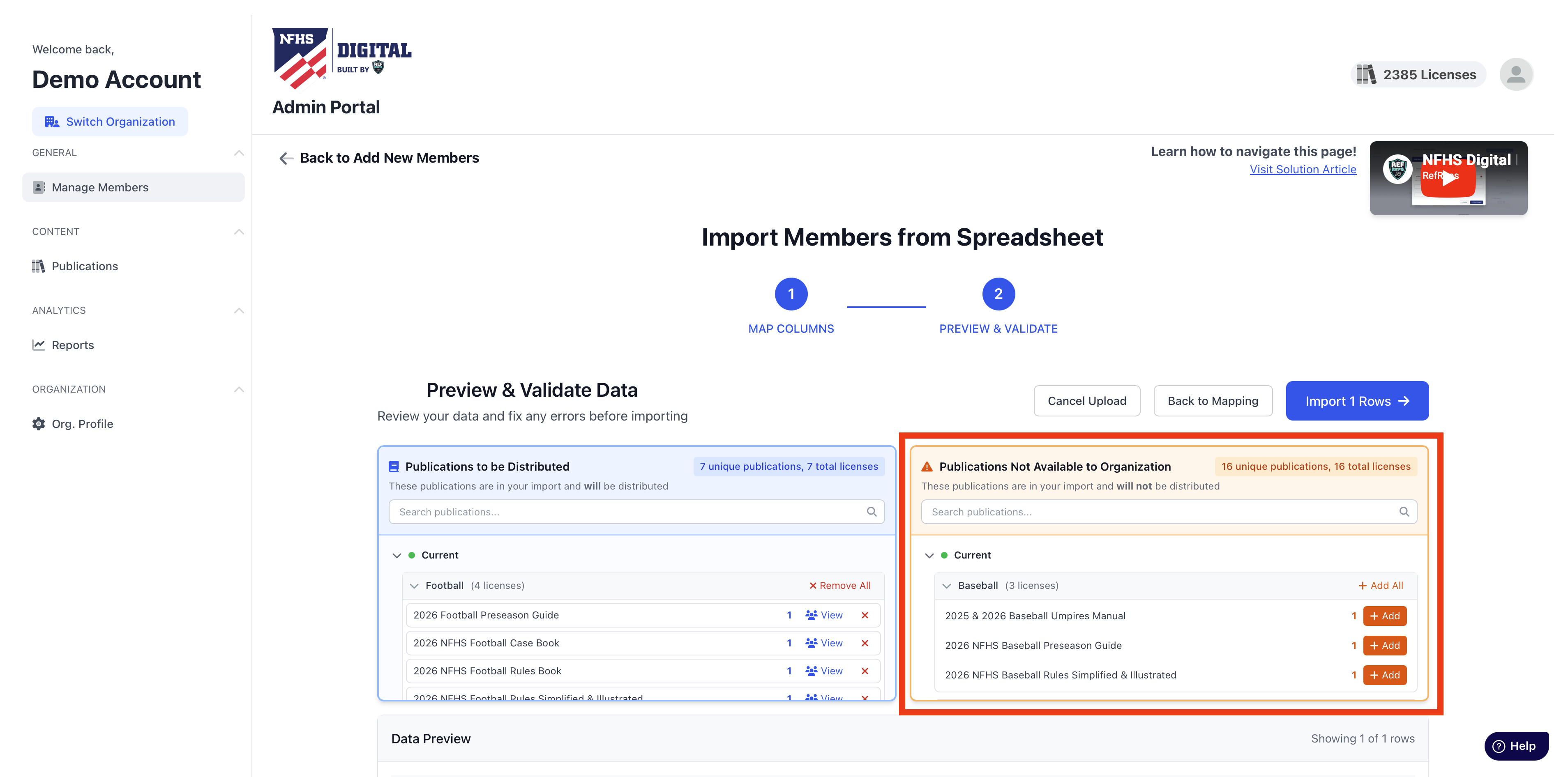 4. Select +Add and the new Add Selected option to add them to your organization library and continue on to your distribution.
Was this article helpful?
That’s Great!
Thank you for your feedback
Sorry! We couldn't be helpful
Thank you for your feedback
Feedback sent
We appreciate your effort and will try to fix the article